 THOMAS ALEX
FULL PORTFOLIO
THOMAS ALEX
FULL PORTFOLIO
A quieter Firefox.
Minimal turns Firefox into two slim rows on a flat graphite frame, so the page is the only thing that shines.
Download for Windows
Version 1.0 · 70 KB · No admin rights needed
SHA-256 0B8A7357346962F28866D2035B717372002B0ECC9D19143DBFD8E466B355B536The installer isn't code-signed, so Windows will say "Windows protected your PC". Click More info, then Run anyway.
This download is for Windows PCs. Open this page on a Windows 11 computer to install it.
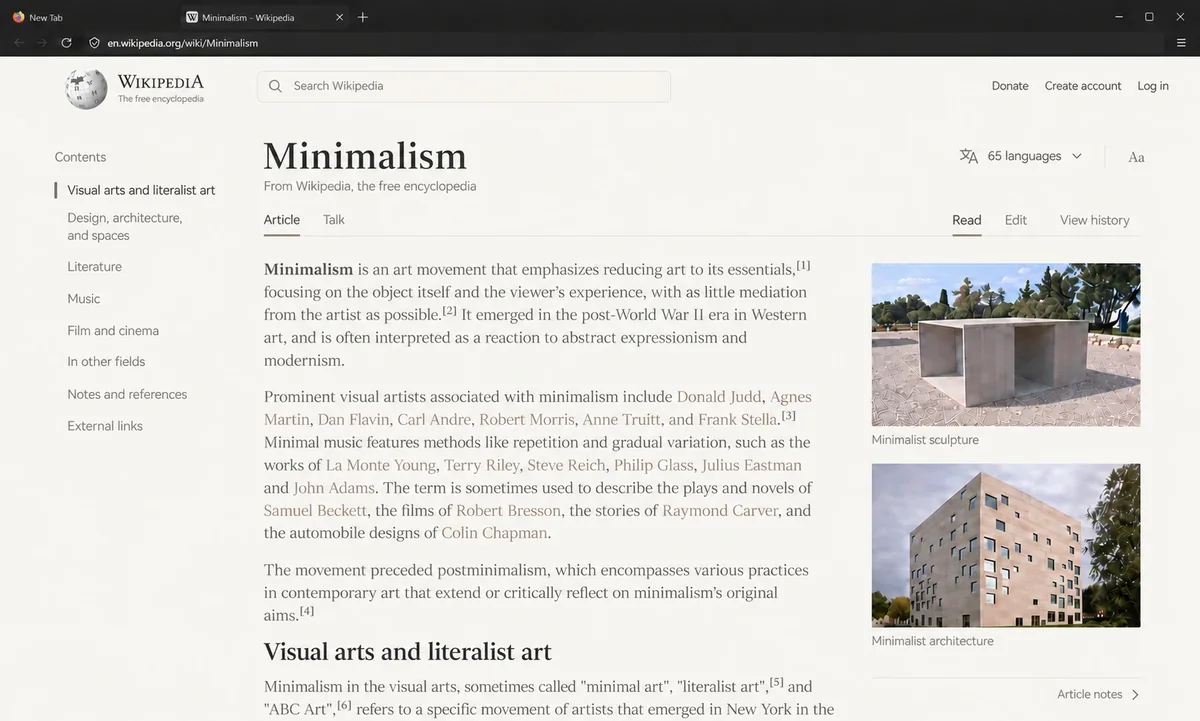
Two slim rows
Tabs, then the address bar. No menu bar, extension icons, account button or divider lines. Hold Alt for the menu.
One accent
A single soft 1px hairline marks the current tab. Menus and Firefox's Settings pages get the same flat treatment.
Out of the way
New tabs open blank. Bookmarks slide up from the bottom edge; pinned sites appear in the empty address bar.
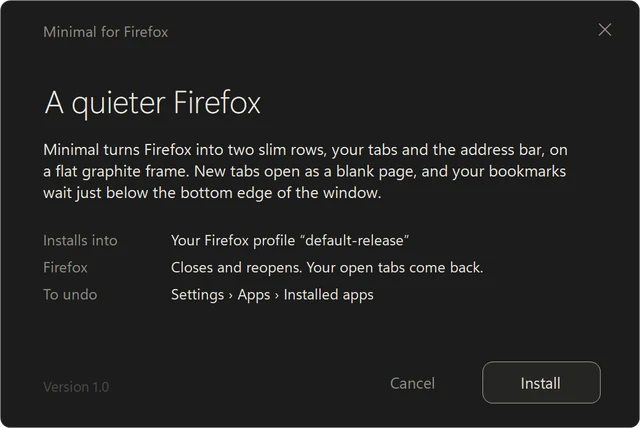
Safe to try, easy to undo.
- Backs up your Firefox setup first and keeps your settings.
- If Firefox is open, it closes for a moment and reopens with your tabs.
- Run it again any time, for example after a Firefox update.
- To remove: Settings › Apps › Installed apps › Minimal theme for Firefox › Uninstall. Firefox goes back exactly as it was.
Made for Windows 11 and Firefox 159. More of my work